 España
  Francais
  Polish
  Greek
Greek  Romanian
  Arabic
  Português
  Indonesian
  Croatian
  Serbia
  Farsi
Farsi  Mongolian
  Bulgarian
  Georgia
  Azerbaijani
  Turkish
  Magyar
 How can I give notices to students?


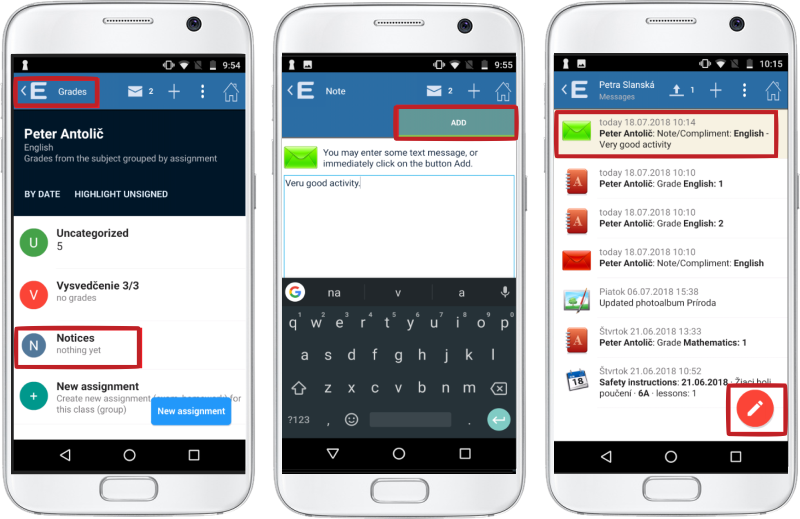
How to enter a student's notice in the EduPage mobile application
Login to EduPage and select the course that you want to give the notice from.
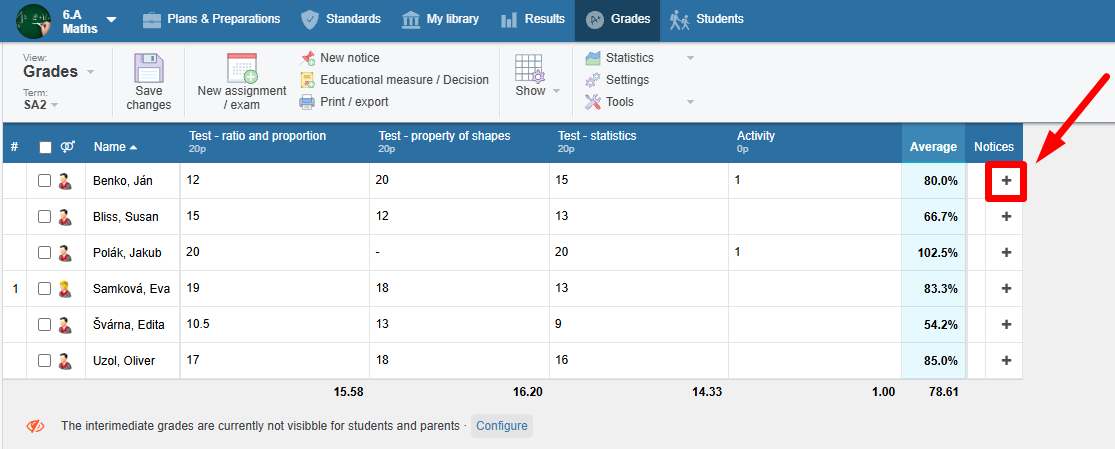
You can add a new notice in Grades by clicking the plus icon.
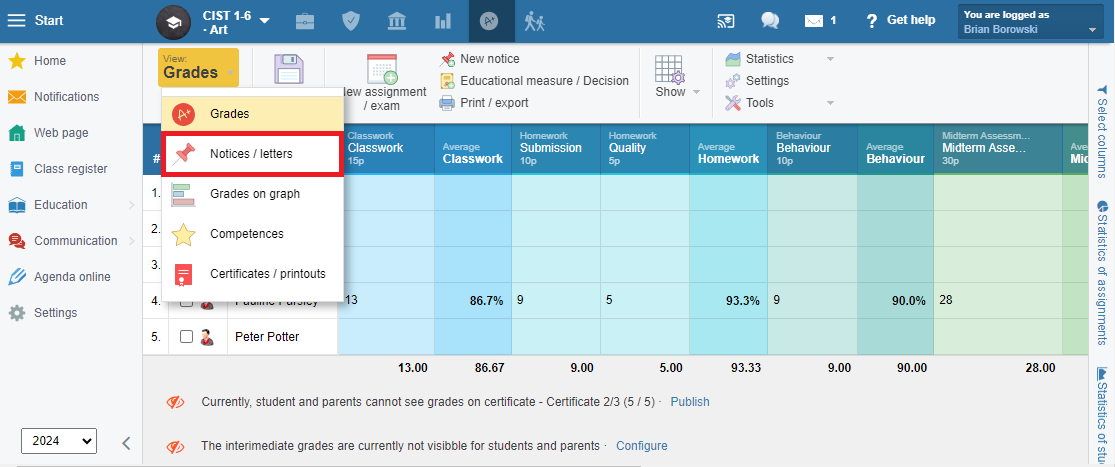
Or - click on "Grades" and select "Notices" from the drop-down list.
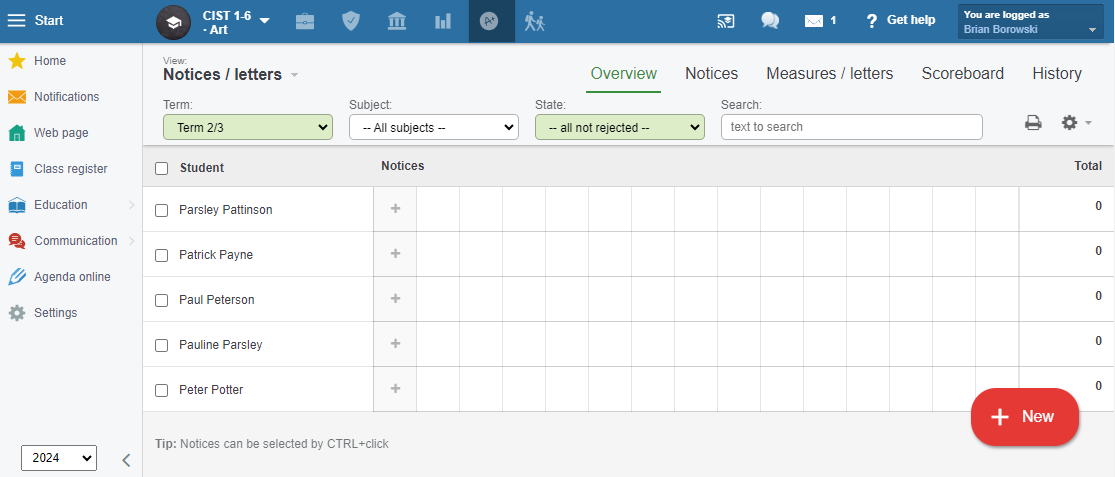
You can add a notice by clicking on the "plus" icon next to the student.
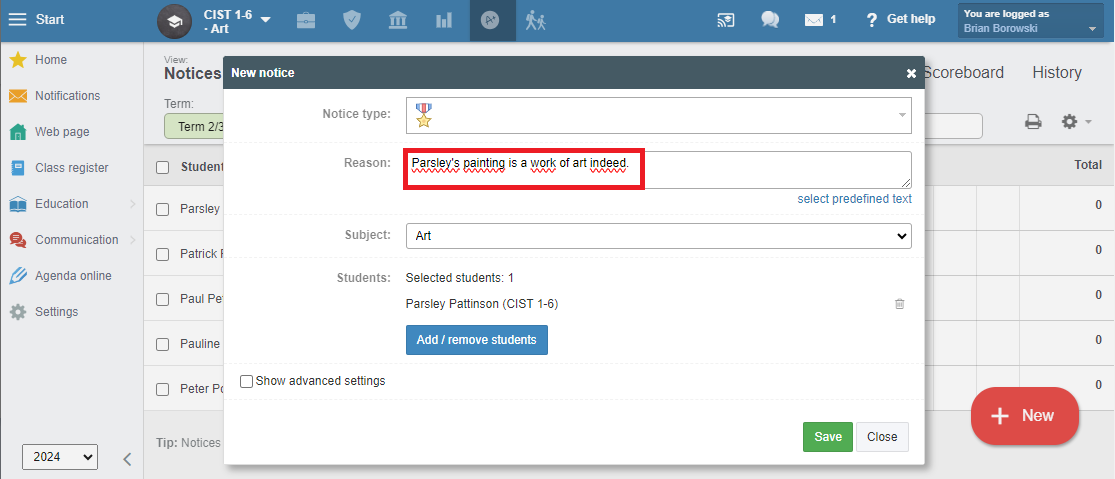
First, select an icon which defines a notice type.
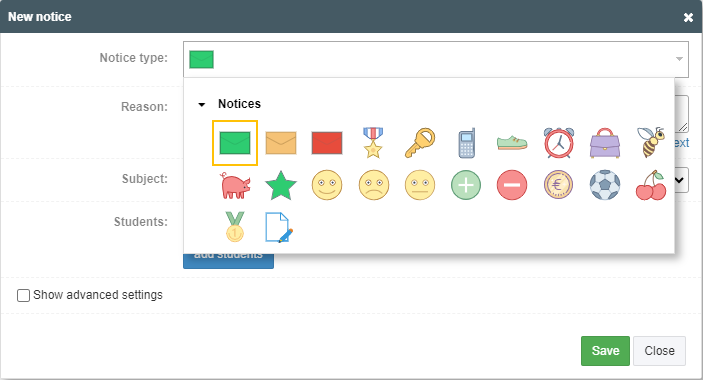
Next, type in the reason for giving this notice. In the advanced settings, you can set the visibility or weight of the notice.
Giving a notice is also possible with the mobile application.
Parents get immediate notification and are prompted to sign the notice.
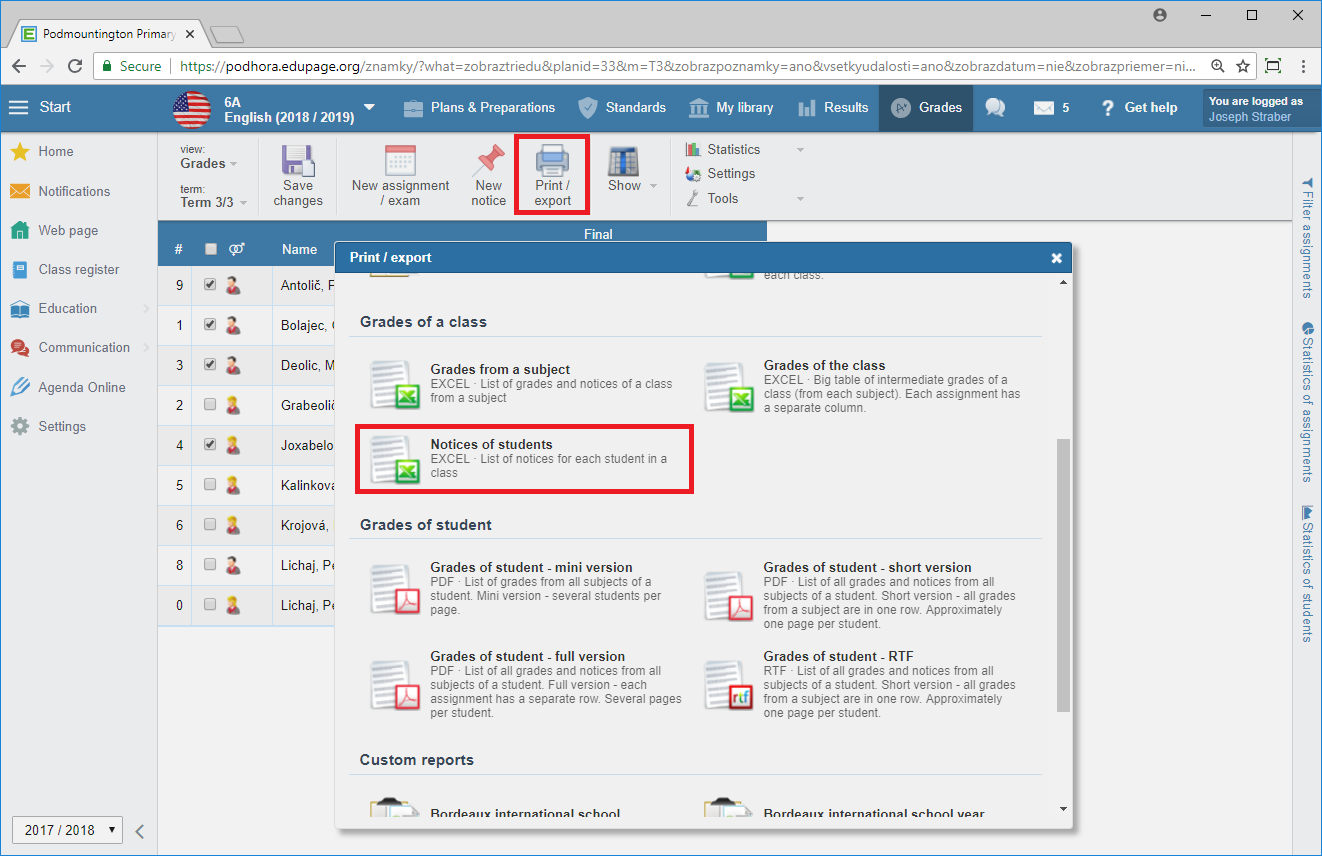
In the end you can print the notices as follows:
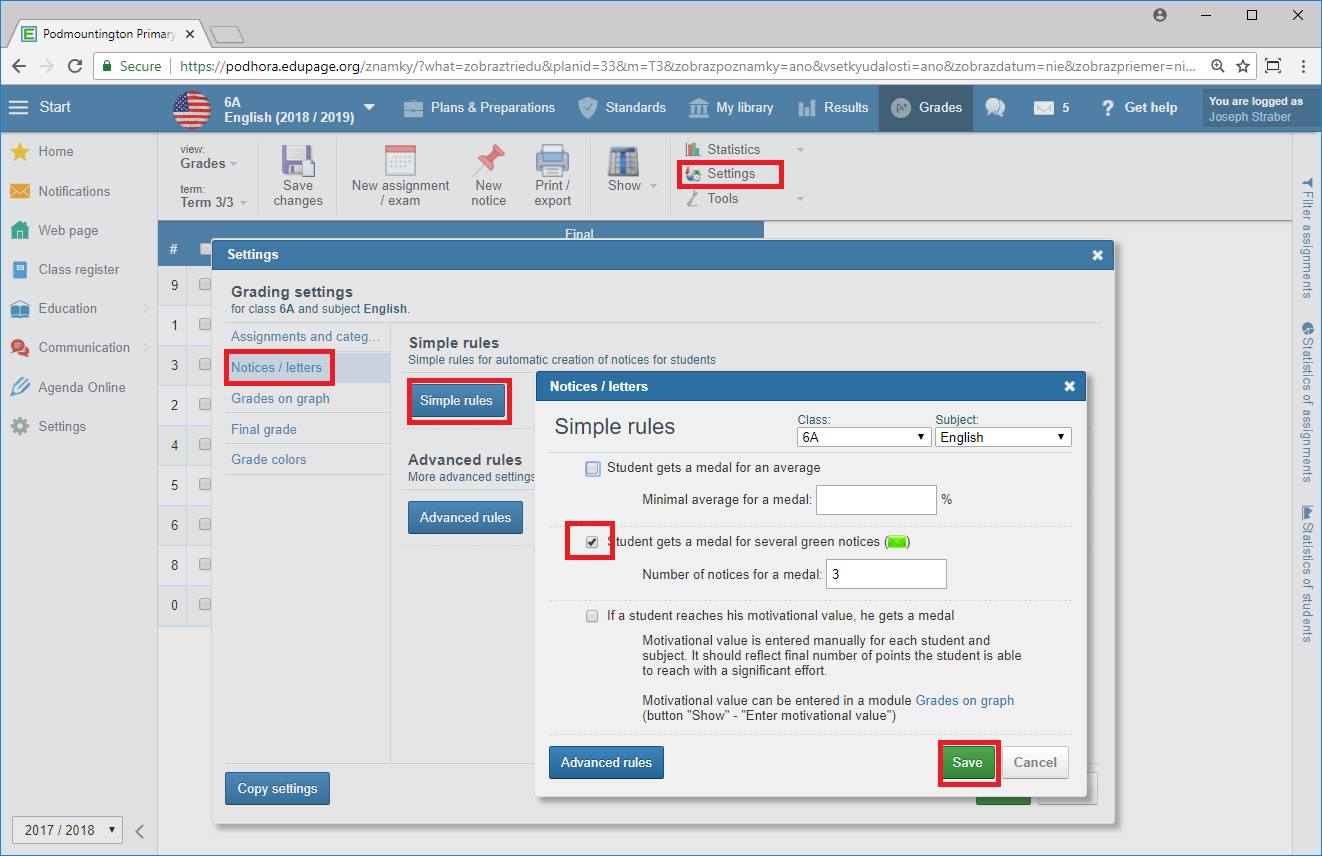
Optionally you can set up various rules for notices. E.g. Student gets a medal for obtaining three green notices.
How can the class teacher view the notices awarded to students in their class?