 Deutsch
  España
  Francais
  Polish
  Russian
  Čeština
  Greek
Greek  Lithuania
  Romanian
  Arabic
  Português
  Indonesian
  Croatian
  Serbia
  Farsi
Farsi  Hebrew
  Mongolian
  Bulgarian
  Georgia
  Azerbaijani
  Thai
Thai  Turkish
  Magyar
 Cheating prevention tools - test in a mobile device (mobile, tablet)


Monitoring the test progress also works when a student takes the test via the EduPage mobile app.
The teacher sees the same information in the "Test progress" file as they would if the student were taking the test on a computer.
Overview of test-progress information (dashboard)
If the teacher has checked the option "Show a warning when leaving the window while the test is running," this function also works on mobile. If the student leaves the test window, a red notification will appear, similar to the one on a computer.
Leaving the window in which the student’s test is running
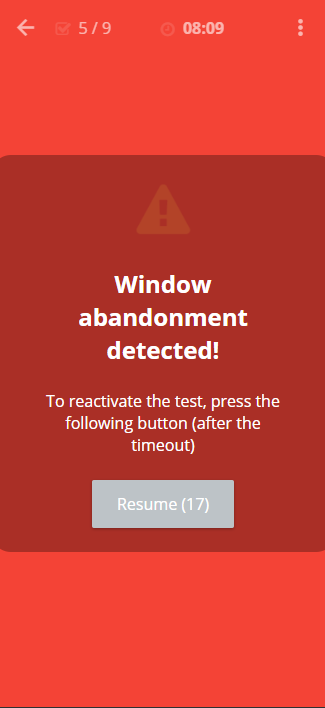
It is important to point out certain specifics of mobile devices. If the device has a screen saver set (i.e., the screen goes to sleep after a certain interval of inactivity), the system detects this as leaving the test window. Therefore, we recommend disabling the screen saver during the test.
More guides: Monitoring test progress, preventing cheating