 Deutsch
  España
  Francais
  Polish
  Russian
  Čeština
  Greek
Greek  Romanian
  Arabic
  Português
  Indonesian
  Croatian
  Serbia
  Farsi
Farsi  Hebrew
  Mongolian
  Bulgarian
  Georgia
  Azerbaijani
  Thai
Thai  Turkish
  Magyar
 Teacher account – setting an e-mail address as the login name
Teacher login, Teacher sign-in, E-mail as login, Teacher's login name, Teacher's e-mail address


When creating teacher accounts, we recommend using the teacher's e-mail address as their login name.
Why use e-mail as a login name.
- The account is more secure because the teacher sets their own password, known only to them.
- Teachers can reset their passwords independently without the administrator's intervention.
- The school does not need to deal with forgotten passwords or the repeated generation of new access credentials.
- The account remains fully under the user's control, even when changing devices or applications.
Log in to EduPage as an administrator and open:
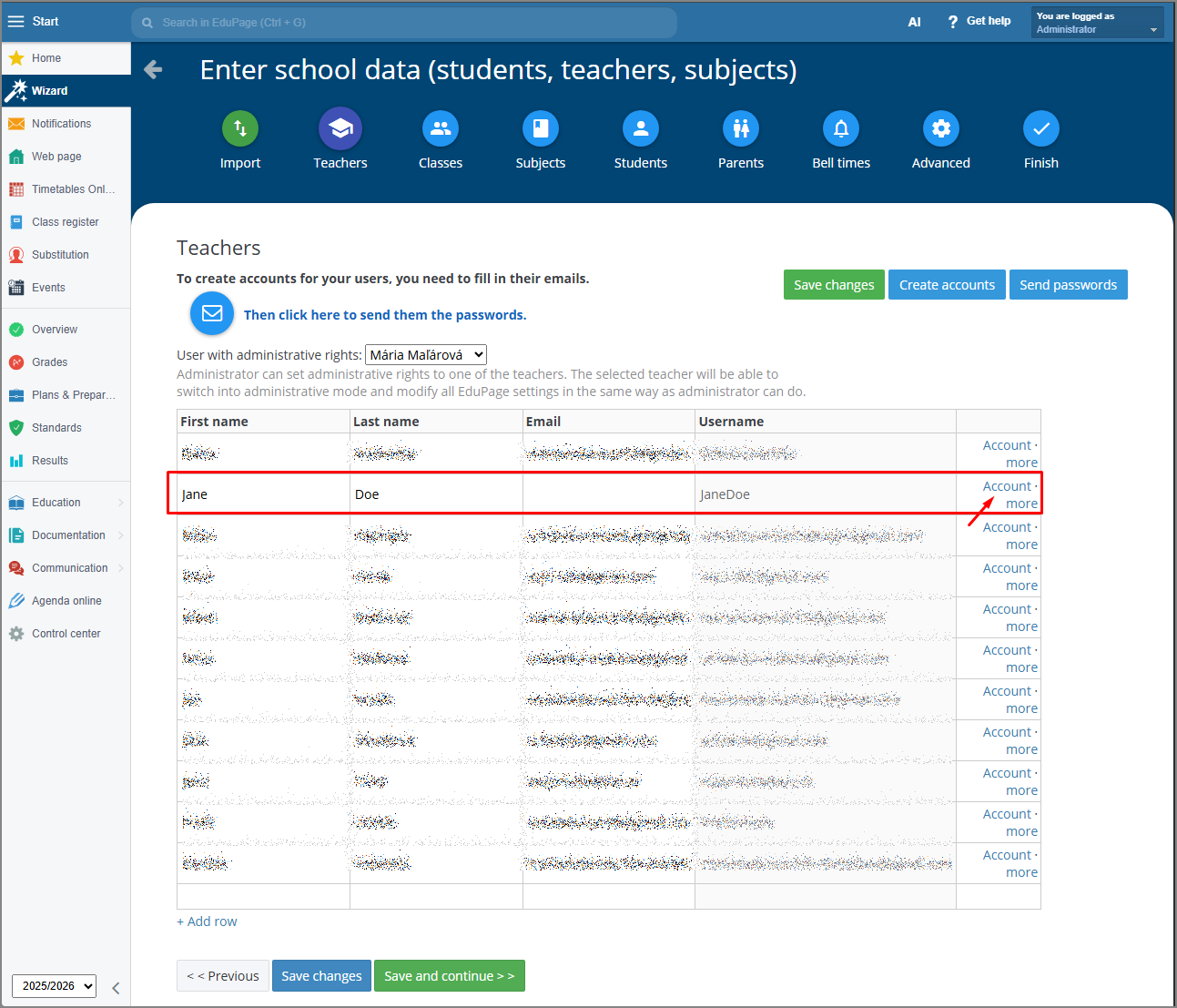
Wizard → School data → Teachers
1. Adding an e-mail address
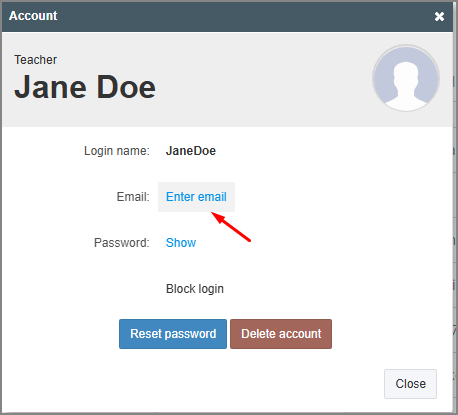
If the teacher does not have an e-mail address entered yet:
- open the teacher's profile (details)
- enter their e-mail address into the appropriate field
The e-mail address must be active and functional, as the system will use it to send account information and password reset instructions.
2. Setting the e-mail as the login name
In the account settings, select:
set e-mail as login name
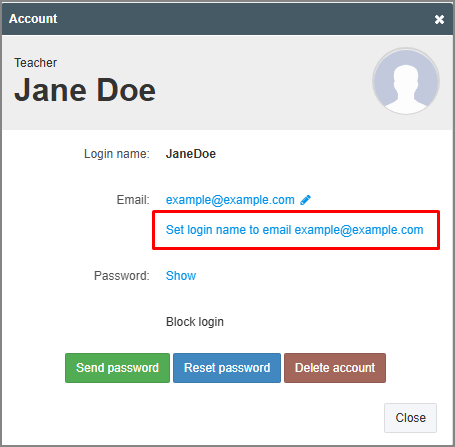
From that moment on, the teacher's e-mail address will serve as their login name.
For more guides, click Login - teacher.